The 7 FREE tools every online service provider needs (10x your productivity with these babies!)

So you're balling on a budget, but you still want to be efficient & profesh.
Maybe you just set up your first gig as a freelancer, or perhaps you've been in business a couple of years, but you’re still keeping an eye on the pennies whilst you streamline & evolve.
I feel you, keeping a track of business finances, in particular your outgoings is a key part of running a successful online business.
The great news is there are some incredible free online tools for online service providers that will save you masses of time & without costing you a penny!
Here are some of my faves!
This post may contain affiliate links. These are denoted by a *. If you make a purchase via one of these links I may get a small kickback. I only recommend products and services I use and love myself! Thanks in advance :)
Loom
If you're still sending long emails explaining complicated things, Loom's the tool for you! I came across Loom a couple of years ago, and since, it's become a tool I use every day to streamline and improve communications with my clients, get feedback, give feedback or just explain something without writing an essay.
I've saved hours on meetings by relying on Loom instead, and love the fact that people can even comment on specific moments of your videos. It makes gathering or responding to client feedback a million times quicker, but I can think of loads of different ways to use the functionality.
My other top tips for using loom to save time
Use loom it to create a bank of tutorial videos (even for yourself if it's a task you do infrequently & you might forget) this could help you onboard a VA, train staff or explain things to clients
Watch your loom videos back on 1.5x speed for efficiency
Use the comment function to respond or ask questions on a specific moment in the video
Asana
The project management software Asana has been the revelation of the year for me, it's a free project management tool, and allows you to organise projects, tasks or teams in various different views - lists, calendars or kanban boards. I use Asana for my daily to do lists, my client projects (I duplicate them each time making the set up & tracking super simple), goal & objective tracking & even knowledge management - I have a whole section for code snippets.
The thing I love the most about asana is that it's so easy to use & get your head around. I tried notion (and I know many people love it) but found it too complicated, Asana is just super simple & perfect if you're an online service provider and work alone or with a small team.
Other Asana Top tips for streamlining your business include
Use the audio record functionality on the phone ap to record yourself tasks on the go
Use it for an editorial calendar to manage your content creation with ease
Use tags to colour tasks and track progress
Use a Zap to connect it to your google cal so appointments show up in your asana!
Harvest ap
Harvest ap is a free timetracker which even has an easy to use invoice interface - perfect for online service providers who bill by the hour.
It's simple to set up and is easy to use, with a button you press to start the timer to track the time you spend on a task.
You can set rates so it will auto calculate your total billables and even allows you to add expenses to streamline your invoicing.
Other Harvest ap top tips include
Track time for all business activities for a week (or more) it's a great way to see how you're using your time, and also to see if you're really charging enough for your time if you're charging a project rate
Sync with your calendar to import time spent on a specific task to the Harvest ap
Connect with Asana, Slack, Stripe or any number of different platforms you’re using to further streamline your biz
Google drive
OK, so it's probably not a new tool for you, but google drive is the most useful free tool I use - I literally wouldn't be without it.
I use google drive for everything from having a back up of what's on my desktop (I also have a hard drive for this to have a 3 way back up - can't be too safe!!) to gathering client copy for their website projects, to delivering freebies to collaborating on projects & everything in between.
If you're still sending emails with word docs that have different versions on them, this is your sign from the universe to stop... set up a google doc and use the track comments functionality to collaborate on documents, go back in time to see different versions & have something that live saves!
Other google drive tips include
Add copy in the place of share in the url when you create a link to a google document, this means the person who gets the link can create a copy to their own drive - perfect for sharing a google doc template as a freebie
Alert people to your comments by @-ing people in the comment box of your google doc - this will send them an email letting them know you've left a comment for them
Create a folder structure for your business including one folder that has external facing things in it for your clients - you can even use this as a basic client portal
Go full screen
This is one for the web designers out there! Go full screen is a google chrome ap that allows you to take a screen shot of an entire webpage as opposed to just the part you see in any one screen view. I use this to create beautiful mock ups of my client projects, but it can also be used if you want to keep copies of web pages for any other reason.
Fathom note taker
Fathom is the newest free tool in my arsenal & I love it!
Fathom integrates with Zoom and automatically records & transcribes your calls... not only that it allows you to tag actions or key points of interest making it easy for you, or someone else when watching it back, to access the key moments in the call.
Top tips for using Fathom
After calls, send the link directly to the attendees - this way they can access the transcript, recording & see the action items easily
Send calls to relevant team members or colleagues & flag the parts that are relevant to them so they can locate & catch up easily & quickly
Make sure to flag action points during the call so that they're easily findable at the end
Canva
Is any free tools for online service provider list complete without Canva?!
Even as a designer who uses the adobe suite for brand development, I find Canva indispensable - it's my go to for Pinterest graphics, gifs, social media icons & freebie creation (checklists, guides, ebooks etc)
I also love Canva for making things like social media graphics editable for clients, so that they can use templates on an ongoing basis in their businesses.
Top tips for using Canva
Share a link to a file "as a template" if you want someone to be able to copy it into their own account - perfect for social media graphics, or guides that you want people to be able to personalise
Make use of the animation options to create fun gifs or even youtube into graphics
Upload your branding into Canva to make it easy to access whenever you need to use it
Create a set of templates for yourself for things you need often - social media posts, guides etc then simply duplicate the file or the slide in the file & re-use
So there you have it !
My favourite free tools that I use every day in my business as an online service provider.
But I'm not quite done - here's your bonus freebie!
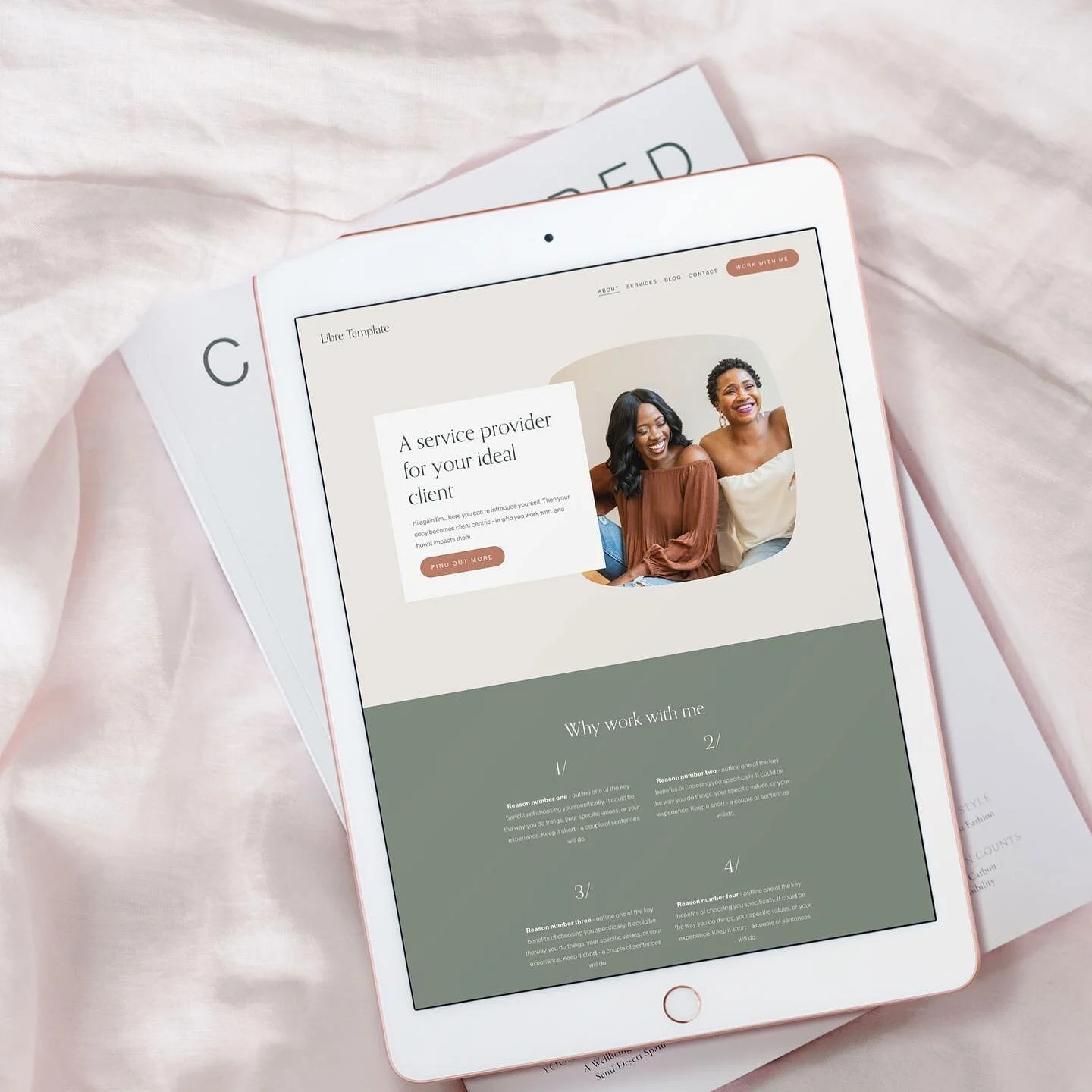
My Squarespace template "Libre" was created especially for online service providers & is available for a limited time for free - you can check her out by clicking the button below.
Love this kinda list? Check out my full list of free & paid tools that I use to run my online biz
related posts


New on the ‘Gram…